How to Unenroll an Employee from dlrSecured Identity Management
The Edit User panel on the User Management screen in the XtreamService application can be used to unenroll an employee from dlrSecured Identity Management. When an employee is unenrolled from dlrSecured, the standard sign
-
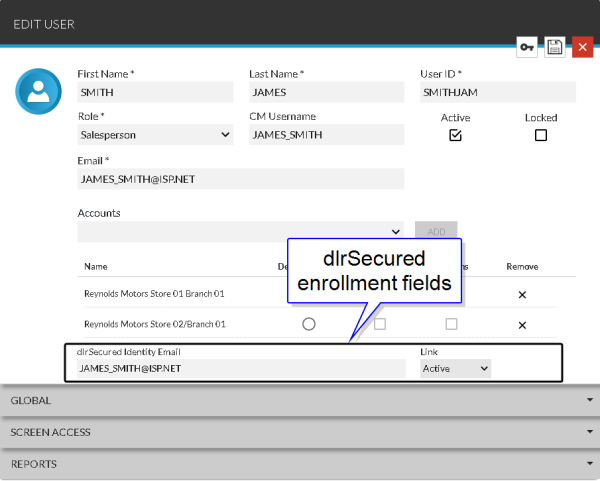
Access the Edit User panel.

To access the Edit User panel, select a user profile in the Results section on the Search Criteria panel on the User Management screen.
-
In the Link field, select Inactive.
Click the
 (Down Arrow) icon to display a list of valid entries.
 -
Click the
 (Save) icon.
The employee is unenrolled from dlrSecured.
Click here for a list of products that may be mentioned in this help file.